FantaMorph: real-time morphing for image animation workflows
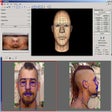
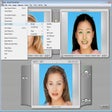
Abrosoft FantaMorph, from Abrosoft, is a Windows photography tool for creating animated morphs and warps from still images. The app renders morphing sequences in real time using a hardware-accelerated engine, enabling instant previews and high-frame-rate playback during composition. It bundles multiple morph modes, a project wizard, and export options like AVI, animated GIF, Flash, standalone EXE and image sequences. Photographers, animators, and hobbyists gain rapid iteration for face transforms and sequence animations destined for web or video.
Top Recommended Alternative

Transforms still images into high-frame-rate morphing sequences
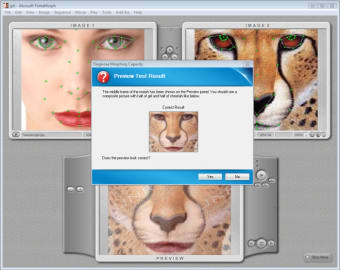
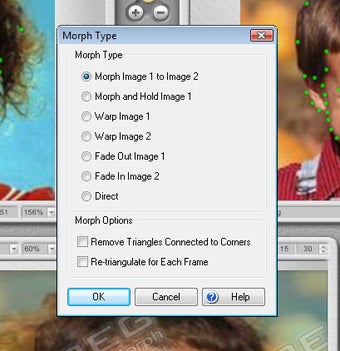
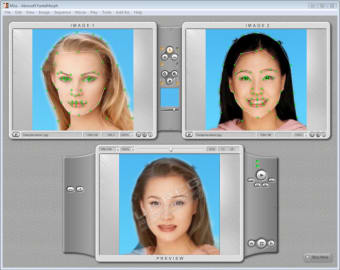
The app uses a real-time rendering engine with hardware acceleration to build morphs without waiting for full renders. It supports Image Morph, Movie Morph, and Sequence Morph modes, letting creators move from a single-photo warp to multi-frame animations. Advanced timing and interpolation come from Feature Curves and Shape Curves, which give precise control over motion paths and deformation across individual frames.
Handles common export targets and broad platform compatibility
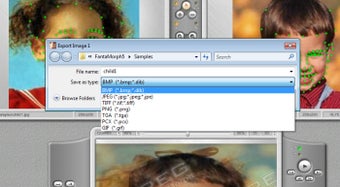
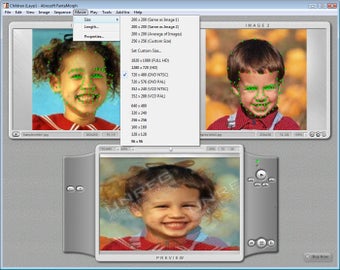
Exports include AVI movies, Animated GIFs, Flash movies, standalone EXE files, screen savers, and image sequences such as JPEG, BMP, and PNG, so projects can be prepared for web, playback, or compositing. The Windows build lists compatibility across legacy and modern releases, and a Mac version is available, allowing cross-platform handoff for mixed-device teams. It can export 32-bit images and video with alpha channel support for composite work.
Workflow balances quick starts with tools for detailed control
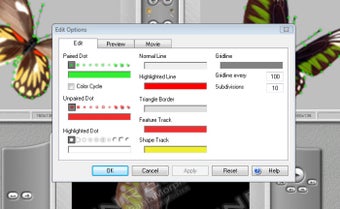
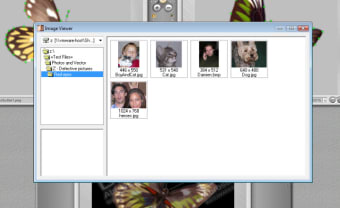
The app layers a project wizard and a dot-placement workflow to reduce setup time, pairing simple guides with built-in tools for cropping, rotating, flipping, and color adjustment. The interface supports skins and won awards for simplifying complex animation tasks. Real-time playback reaches very high frame rates, reported in the hundreds, which aids iteration. Although layout supports quick starts, precision work expects practice with the advanced morph controls. Consider consent when morphing recognizable faces.
Best for creators who need fast image-to-animation iteration, with an edition trade-off
FantaMorph is a practical option for photographers and animators who need fast iteration on image transforms and sequence animations. One limitation is that automated face detection and Face Mixer tools are confined to the Deluxe edition, which affects workflows that rely on hands-off feature placement. For creators focused on deliberate control over motion and export-ready visuals, it rewards investment of time and practice.